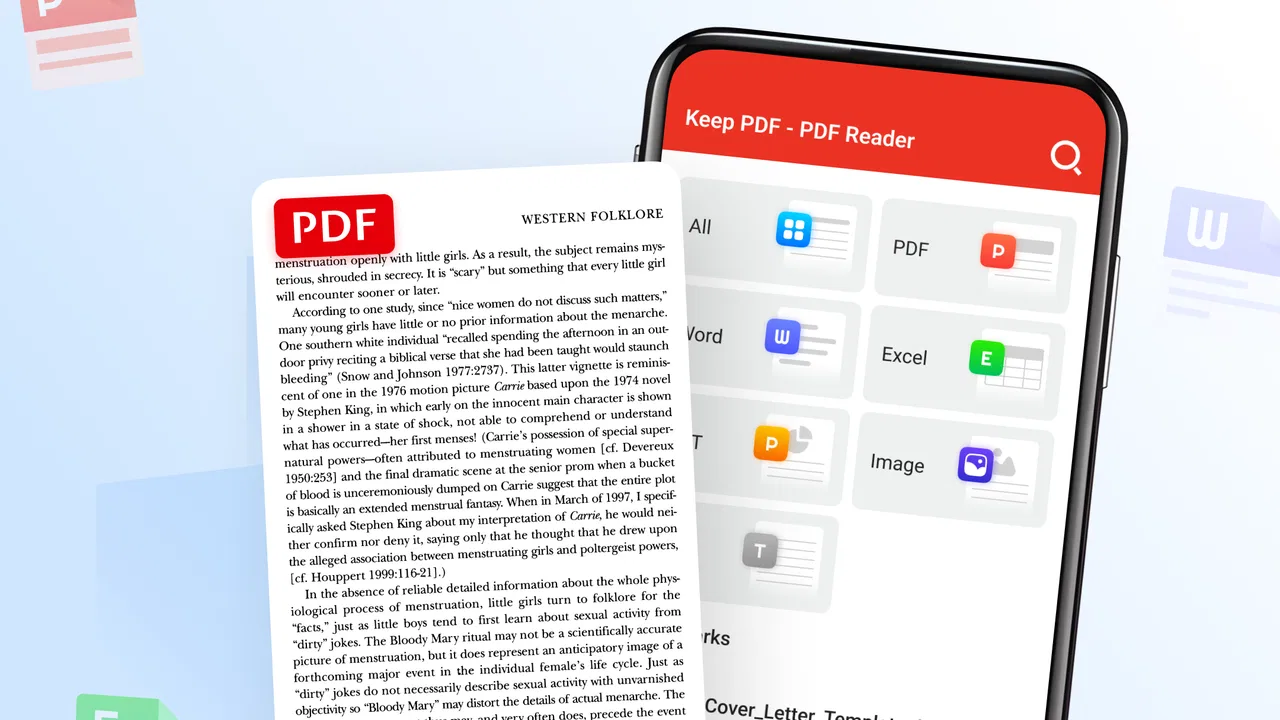
Keep PDF - PDF Reader
- 3.9
- Rating
- 1.00M
- Installs
- Free
- Price
 Analysis by App-foxy
Reading a PDF on a phone sounds simple until the document is long, the screen is small, or you need to return to the same page several times during a busy day. Keep PDF - PDF Reader is built around that ordinary problem. I tried to approach it less like a file-management tool and more like a dependable reading companion, and that is where its appeal becomes clear: it aims to keep the act of opening and reading a PDF uncomplicated.
This is a free business app from Galiana Lian, available for users aged Everyone. Its store summary presents it as a straightforward way to read PDFs, and that modest positioning matters. It is not trying to turn document reading into a complicated office workflow. If you mainly need to open reference material, check a form, read a guide, or review a document away from a computer, its focused purpose makes sense.
The main strength is focus: Keep PDF is most useful when you want to get from a PDF file to readable content without being distracted by a large collection of unrelated tools. That does not make it the right choice for every reader, but it gives the app a clear place on an Android device.
You May Also Like

 AccuWeather: Weather Radar
AccuWeather Review: A Quick, Clear Forecast for Everyday Decisions
For everyday plans, the best forecast is the one you can understand quickly. AccuWeather makes rain timing, radar, and local conditions easy to act on, with a few trade-offs.

 Hill Climb Racing
Why Hill Climb Racing Still Turns Crashes Into One More Run
A tiny car, a bumpy hill and one more upgrade: Hill Climb Racing keeps resurfacing because its simple chaos makes every near-miss feel personal.

 AliExpress - Shopping App
AliExpress Makes Global Shopping Feel Personal, but Shoppers Bear the Risk
AliExpress turns a global marketplace into a pocket-sized discovery engine. Its reach is useful, its shopping loop compelling, and its trade-offs easy to miss.

 Lords Mobile: Kingdom Wars
Lords Mobile Is a Kingdom-Building Routine, Not a Quick Match
A case-by-case verdict on the building, battles, device demands, and social commitments that make Lords Mobile rewarding for some players and exhausting for others.

 PDF Scanner app - TapScanner
TapScanner Makes Paperwork Easier to Capture, Check, and Share
TapScanner makes scanning with a phone feel less like a rescue operation and more like a dependable step in getting work done. Its capture tools are useful, though not flawless.

 Block Blast!
 Shows How Much a Puzzle Game Can Leave Out
A quiet grid game shows why puzzle players increasingly value instant clarity, repeatable skill and low-pressure play—and where the genre still needs to catch up.
More From Our News Desk
View All News


Why a focused PDF reader can be useful
The capability I kept coming back to is simple PDF reading. A dedicated reader gives a document its own space instead of forcing you to handle it through a browser tab, an email preview, or a general file app. In everyday use, that distinction is more important than it first appears. A browser is good for finding information online, while a file manager is good for locating files. Neither is necessarily the most comfortable place to spend time reading a document.
Keep PDF fits the category of business apps because PDFs often sit in the middle of practical tasks: instructions, invoices, application documents, training material, schedules, and work references. I can imagine opening it before a meeting to check a document, using it to read a manual while away from a desk, or keeping it ready for a form received through another app. The value is not dramatic automation. It is having a predictable place for PDF reading.
The app has passed the one-million-install mark and holds an average rating of 3.9 from roughly 663 ratings. Those figures suggest that it has found a substantial audience while also leaving room for individual preferences to differ. I would not treat the rating as proof that it will suit every phone or reading habit. Instead, I see it as a reason to consider the app as a practical option rather than an obscure experiment.
Its current version is 3.0.3, and it requires Android 7.0 or later. That requirement covers many still-used Android devices, although anyone with an older phone should check compatibility before building a document workflow around it. The app is free, which makes testing it relatively easy: you can see whether its reading experience matches your eyes, your files, and your usual way of working without committing money first.
What the focused approach changes
A narrow purpose can reduce friction. When I use a general office suite for a PDF, I often end up looking at editing, conversion, cloud, or collaboration controls that I do not need for a quick reading session. A browser can introduce another layer of tabs and downloads. Keep PDF is more appealing when the task is simply “open this document and read it.”
That focus also helps with decision-making. If you need a reader rather than a document-production system, you do not have to install a large office package just to inspect a file. On a personal phone, that can mean less visual clutter and a more direct routine. The trade-off is equally clear: a focused reader should not be judged as though it were a full office suite.
I would be careful about expecting it to replace every PDF-related tool. Reading is one task; editing, signing, converting, extracting content, and collaborating are separate needs. If your work depends on those actions, the better solution may be an office app or a specialized PDF service. Keep PDF makes more sense as the reading part of that arrangement.
How I would use it during a normal day
Imagine receiving a PDF guide shortly before leaving home. I would open the file, move through the pages while commuting, and return to it later when I needed a particular instruction. In that situation, the important quality is not a long feature list. It is whether the app lets me stay oriented inside the document instead of making me fight the interface.
The same applies to a work reference. Suppose I have a policy document saved on my phone and need to check one section during a conversation. A dedicated reader is useful because the document is treated as something to consult, not as an attachment that must be rediscovered through an inbox. My practical tip is to keep frequently used PDFs in a clearly named folder before opening them in the reader. Good organization outside the app makes a focused reader much more effective.
For study material, I would use it in shorter sessions rather than assume a phone can replace a large screen. A small display is fine for checking a definition or reading a few pages, but extended reading may become tiring. I find the best mobile workflow is to use the phone for review, travel, and quick reference, then move to a tablet or computer for dense documents that require sustained attention.
Getting more from a basic reading workflow
One useful habit is to separate “reading now” from “keeping for later.” I would avoid opening every PDF from a random notification or messaging thread and then expecting to remember where it came from. Save or organize the document first, then open it deliberately. This makes it easier to return to the same material and reduces the chance of confusing several similarly named files.
Another practical insight is to test a document before relying on it in a time-sensitive situation. PDFs can differ widely: some are mostly text, some contain dense layouts, and some are scans. A reader may feel excellent with a clean text document but less comfortable with a complicated page design. Opening an important file in advance lets me discover whether the text is comfortable to read and whether the page structure works well on my phone.
I would also use the app as a companion to, not a replacement for, a proper archive. A reader helps me consume a document, but I still need sensible names and folders if I want to find that document a week later. This distinction is easy to overlook. The strongest workflow combines Keep PDF for reading with the phone’s existing storage habits for organization.
Where the app fits best
I’d use this section to pin down the kind of reader who is likely to get the most from a focused PDF app: someone who wants to consult documents on a phone without turning every quick check into a broader office task. I’d also consider how the choice changes when connectivity is uncertain, since a reader should fit the way you access files, not just the way you read them.
The strongest everyday scenario
The best scenario is a person who receives or stores PDFs regularly but does not need to edit them every time. A small business owner checking supplier paperwork, a student reviewing course handouts, or a traveler carrying digital instructions could all benefit from a reader that stays centered on the document itself.
For me, the most convincing use is quick reference during an interrupted day. I might have only a few minutes to check a page, close the app, and return later. A focused reader is better suited to that rhythm than a heavyweight office environment because the task remains narrow. I am not trying to redesign the file; I am trying to understand what it says.
It is also a sensible option for someone who wants to avoid paying before knowing whether a PDF app belongs in their routine. Since Keep PDF is free, I can install it, open the documents I actually use, and judge the experience directly. That is more useful than choosing based only on a feature checklist, because comfort and clarity matter more than theoretical capability when reading on a phone.
Where the trade-offs become visible
The same simplicity that makes the app approachable may feel limiting to advanced users. If I routinely annotate documents, fill out forms, add signatures, convert files, or share marked-up copies with colleagues, I would look beyond a reader-focused app. Installing a separate specialist tool may be more efficient than expecting one lightweight reader to handle every stage of a document workflow.
There is also a screen-size trade-off. Keep PDF can make a phone a useful reading device, but it cannot change the physical limits of a small display. Large tables, multi-column pages, and scanned documents may require more zooming or panning than a reader on a tablet. I would choose it for mobility and quick access, not as my only solution for reviewing complex reports all day.
Another consideration is the difference between opening a PDF and managing a document library. People with a large professional archive may prefer a tool designed around cloud folders, team access, or advanced search. A focused reader is more appropriate when the main question is “Can I read this file comfortably now?” rather than “Can I manage an entire document operation from one app?”
These are not reasons to dismiss Keep PDF. They define the boundary where it is most sensible. I would recommend trying it when reading is the central task and avoiding it as the sole document tool when editing or collaboration is central.
How it compares with usual alternatives
The usual alternatives fall into three groups: a browser, a general file manager, and a full office or PDF suite. A browser is convenient when a PDF is online, but it is not always the calmest place for repeated reading. A file manager is helpful for locating documents, yet its reading experience may be secondary. A full suite offers more possibilities, but that extra power can add visual and operational weight.
Keep PDF occupies the middle ground. It is more purpose-built for reading than a basic file browser, while being less ambitious than a complete office package. That position is valuable for people who do not want to learn a large interface for a simple task. It is less attractive for users who want one installation to cover reading, editing, signing, conversion, and teamwork.
My advice is to compare by workflow rather than by the number of buttons. Open three documents you genuinely use: a short text file, a longer guide, and a visually complicated document. Notice how quickly you can begin reading, how easily you return to the relevant page, and whether the display remains comfortable. That test tells you more than a generic promise of broad document support.
Who should choose it
I think Keep PDF is a good fit for casual and regular PDF readers who want a free Android app with a clear purpose. It is especially suitable for people who use PDFs as references rather than as editable projects. The Everyone age rating also makes its audience broad, although the usefulness still depends on the reader’s actual document habits.
It may also suit someone setting up a simple phone for work or study. Instead of installing a large productivity package, that person can begin with a dedicated reader and add other tools only if a real need appears. This keeps the workflow easier to understand and avoids paying for capabilities that may never be used.
I would steer power users toward a more comprehensive option if their day revolves around document changes, signatures, annotations, or shared review. I would also suggest a larger-screen solution for anyone reading technical material for hours. The app is not a substitute for every PDF environment; it is a practical answer to the narrower need of reading PDFs on an Android device.
My recommendation after using it
Keep PDF - PDF Reader earns consideration because it understands that not every document task needs to become a productivity project. Its free availability, approachable purpose, and broad device reach make it easy to test. The developer, Galiana Lian, has positioned it in a useful space for people who want a straightforward way to consult PDF files.
My recommendation is positive, with a clear condition: choose it for reading first. Organize your files sensibly, test important documents before you depend on them, and use a tablet or computer when a phone becomes uncomfortable for long or complicated material. If that matches your routine, the app can remove an annoying bit of friction from everyday document access.
If you are looking for an all-in-one document workshop, I would choose something more specialized. But if your real need is to open a PDF and spend your attention on its contents, Keep PDF - PDF Reader is a reasonable free option to try. Its greatest benefit is not doing everything; it is keeping one common task direct enough to fit naturally into a busy day.
FAQs for Keep PDF - PDF Reader
01What features does Keep PDF - PDF Reader offer?
Keep PDF - PDF Reader provides a comprehensive suite of features including the ability to open, view, and annotate PDF documents. Users can highlight text, add comments, and use various annotation tools. Additionally, it offers a smooth reading experience with options to adjust brightness and switch between different viewing modes.
02Is Keep PDF - PDF Reader available for both Android and iOS?
Yes, Keep PDF - PDF Reader is available for both Android and iOS platforms. You can easily download it from the Google Play Store for Android devices or the Apple App Store for iOS devices. The app is optimized to provide a seamless experience across different operating systems.
03Does Keep PDF - PDF Reader support document conversion?
Currently, Keep PDF - PDF Reader focuses on providing a high-quality reading and annotation experience, and it does not include document conversion features. However, there are regular updates, so additional functionalities like conversion might be added in future versions.
04Is Keep PDF - PDF Reader free to use?
Keep PDF - PDF Reader offers a free version with basic features that cater to most users' needs. For advanced features, such as enhanced annotation tools or cloud storage integration, there might be a premium version available for purchase within the app.
05How secure is my data when using Keep PDF - PDF Reader?
Keep PDF - PDF Reader prioritizes user security by ensuring that all documents are handled securely. The app does not store your files on external servers unless you explicitly use cloud services. Always check app permissions and privacy settings for additional security measures.
Pros
- Fast document loading and scrolling.
- Supports a wide range of file formats.
- Easy-to-use annotation tools.
- Offline access to saved files.
- Secure with password protection features.
Cons
- Free version has limited features.
- Occasional ads can disrupt reading.
- Limited cloud storage integration.
- No text-to-speech functionality.
- Advanced features require in-app purchases.

Keep PDF - PDF Reader
Gallery